Reaching the page
In the sidebar, open Billing and select Driver Invoices. The page is
served at /billing-drivers.
The entire Billing group is hidden from the sidebar for roles that hold no billing permissions. If it does not appear for you, your account has not been granted billing access.
About driver invoices
A driver invoice is the fiscal invoice the platform generates for a driver’s charging activity.
The invoice list
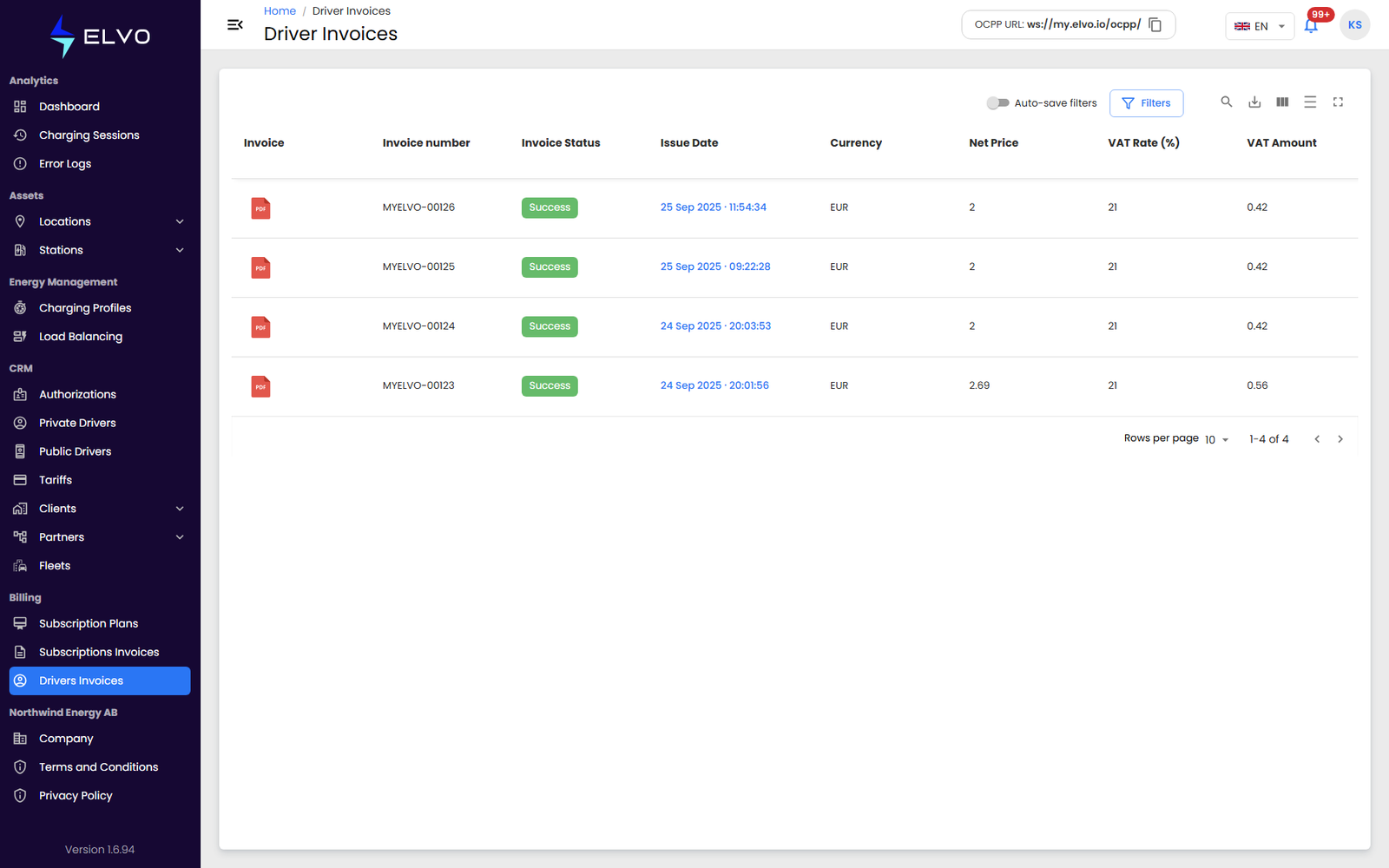
Each row is one driver invoice. The visible columns are: Invoice (the PDF download icon), Invoice number, Invoice Status, Issue Date, Currency, Net Price, VAT Rate (%), VAT Amount, Total Price (incl. VAT), Invoice type, Driver (the driver’s email), Billed to name, Billed to ID, and the billing address fields — Country, Region, City, and Address.
You can sort and filter the list by any of these columns.
Filtering the list
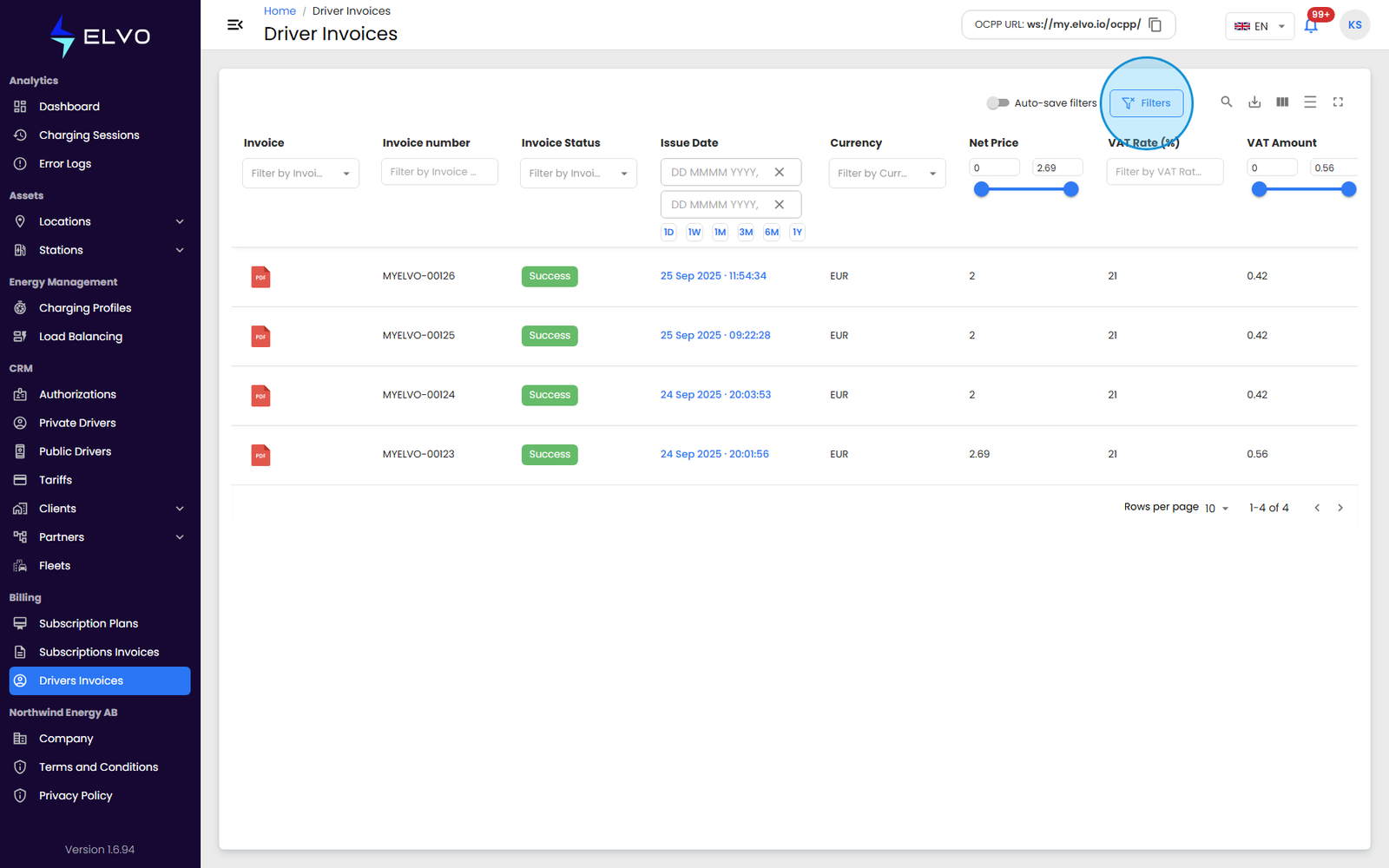
Click Filters to open the filter panel. From there you can filter by client, date, driver, and any of the other columns in the table.
The amount columns — Net Price, VAT Amount, and Total Price — use a range slider, so you can filter for invoices within a minimum and maximum amount.
Downloading an invoice
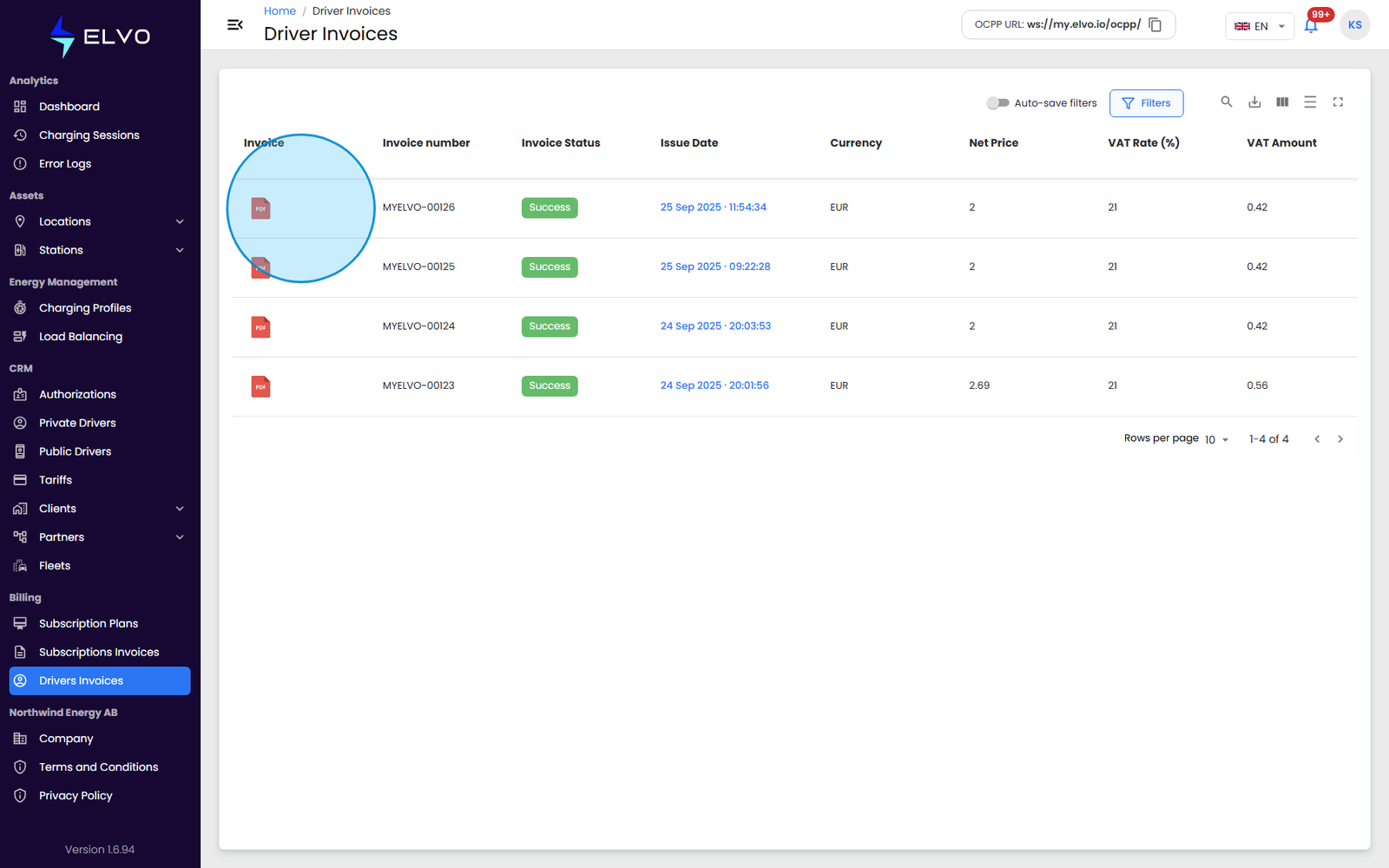
Click the PDF icon in the Invoice column to download that invoice’s PDF. Where the platform has also generated an eFactura XML file for an invoice, a separate download action appears alongside it.
Download access depends on your role: superauditor accounts can view and filter the list but cannot download invoices; every other role can both view and download.