Reaching the page
In the sidebar, open Analytics and select Charging Sessions. The page loads at /charging-sessions.
What the table shows
The Charging Sessions table lists every charging session recorded across the infrastructure visible at your tier — it is not limited to a single station or location. Each row is one session, showing details such as the station and connector where it took place, when it started and ended, how long it charged and how long it stayed connected, the energy delivered, and its status.
The first column, Action, offers End session on sessions that are still running and View CDR on completed ones — the session’s charge detail record (see section 2.4).
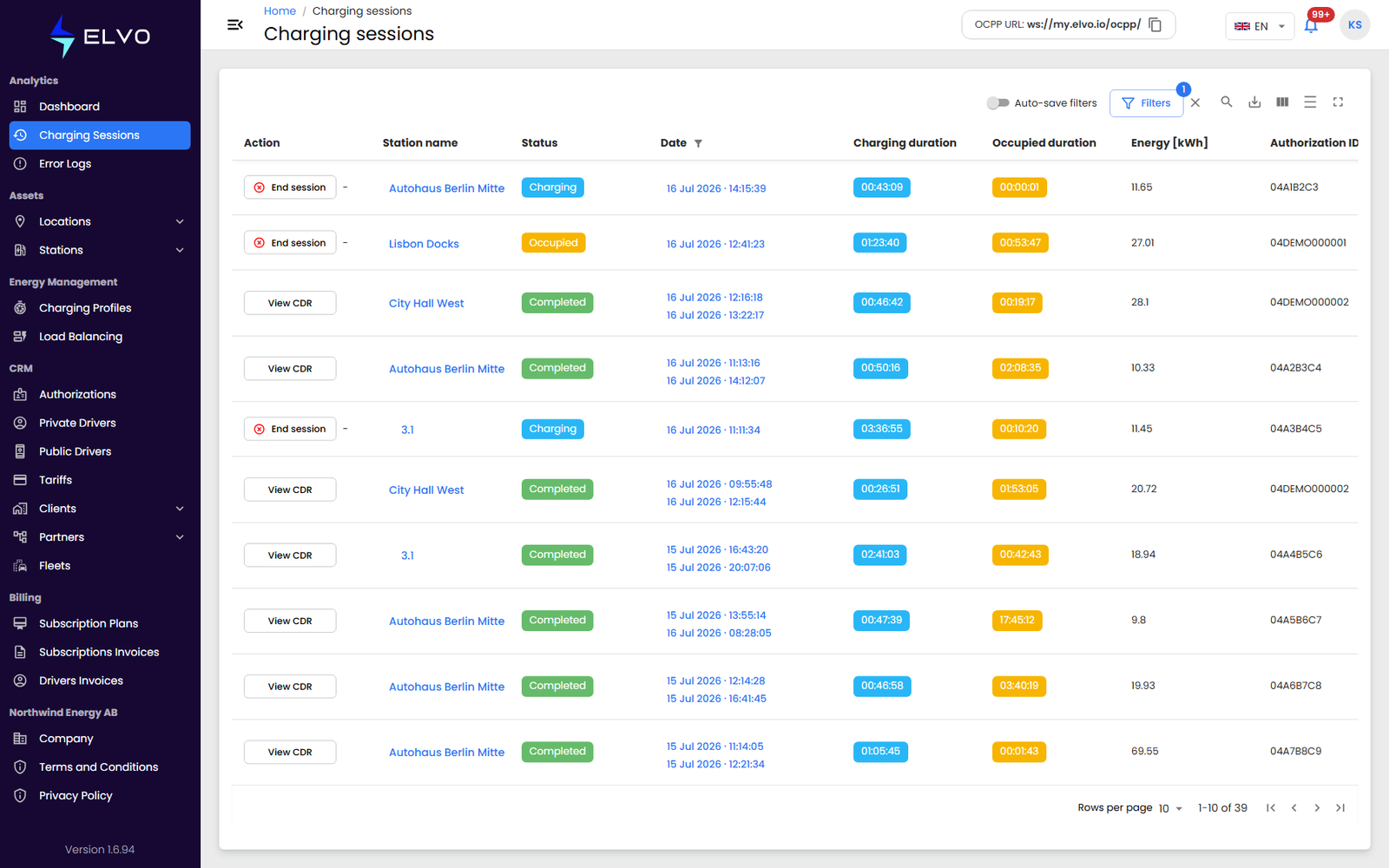
For the full column list and how to show, hide, and reorder columns, see section 2.3. To narrow the table down to what you need, see section 2.2.
This is the global view: a station’s own detail page has a Charging sessions tab scoped to that station alone (see Part 5).
Session status
Each session’s Status shows where it is right now: Charging while the vehicle is actively drawing power, Occupied while the vehicle is still connected without charging (the occupied duration column tracks this time), and Completed once the session has ended.