What a subscription plan is
A subscription plan defines what a client or partner is charged for their subscription to the platform: a price per AC/DC station and connector, a commission percentage on charging value, and optional custom rule line items. A subscription invoice (see section 15.4) is generated from the plan assigned to that client or partner. Your own subscription to the platform, one level up, is covered separately in section 16.4.
The subscription plans list
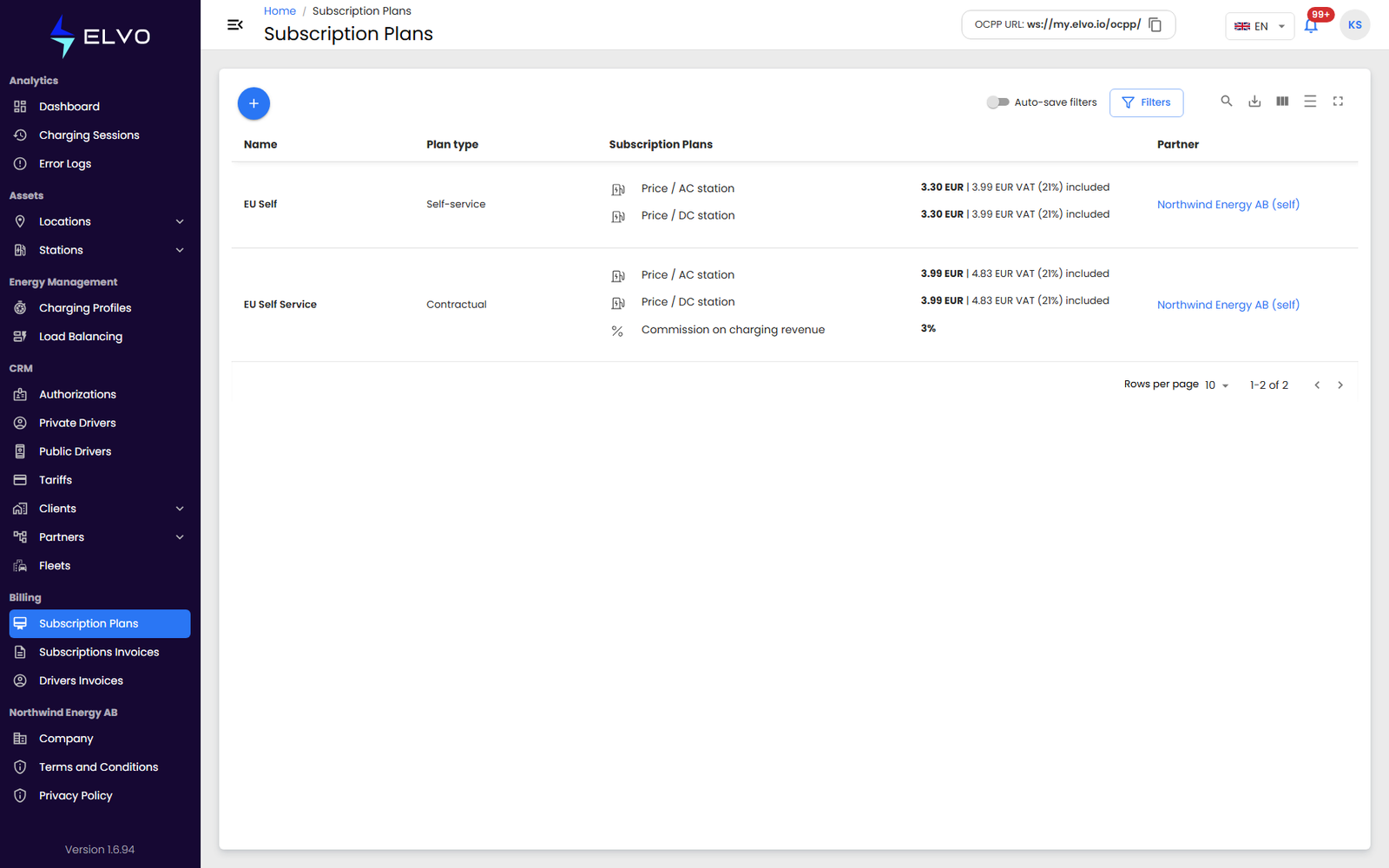
In the sidebar, open Billing and select Subscription Plans. The
page is served at /subscription-plans. Use the +
button to create a new one.
Creating a plan
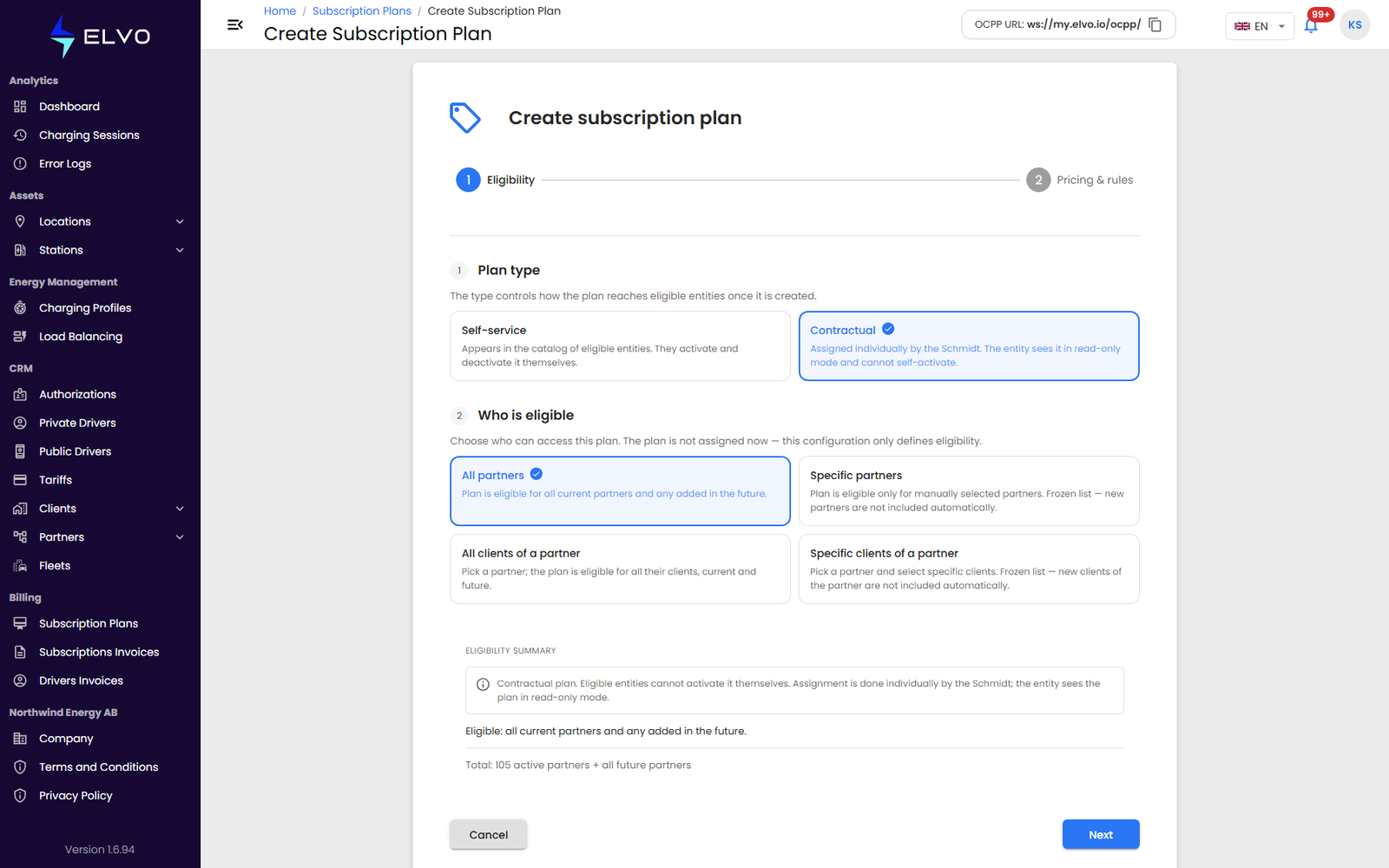
The live create form (at /subscription-plans/create) asks for:
Currency, Name, Payment term (days), a Prices exclude VAT /
Prices include VAT toggle, a Price per connector / Price per
station toggle, Price / AC station, Price / DC station,
Commission on charging revenue (%), and Fee per invoice. A
second step sets how the plan reaches entities — Self-service
(appears in eligible entities’ catalog; they activate it themselves) or
Contractual (assigned individually; the entity sees it read-only) —
and who is eligible: All partners, Specific partners (frozen
list), or All clients of a partner.
The Document-3 description below predates that form; keep it for the concepts it explains:
- Set the price for each unit type: AC connector, DC connector, AC station, and DC station.
- Set the Commission percentage applied to charging value.
- Optionally add custom rules — each with a name, a unit (AC connectors, DC connectors, AC stations, DC stations, or a one-time charge), and a value.
- Click Create.
The Commission field is not validated — the platform currently accepts negative or unrealistically large values without warning. The platform blocks the submission if the plan name duplicates an existing plan.
Viewing and editing a plan
Open a plan from the list to view its details.
Assigning a plan to a client or partner
A plan is assigned to a client or partner through their billing management, not from the plan itself.