What the Company area is
The Company area is where your own account manages its own profile on the platform: your organization’s identity, billing identity, and subscription. For an Enterprise user this is your tenant’s own record; for a Partner user it is your own reseller account — distinct from the Client and Partner records you manage elsewhere under CRM (see Parts 13 and 14).
The Company area is not available at the Client tier: Client accounts do not have a Company menu item.
Reaching Company details
In the sidebar, select Company. The Details tab opens by default
(/company).
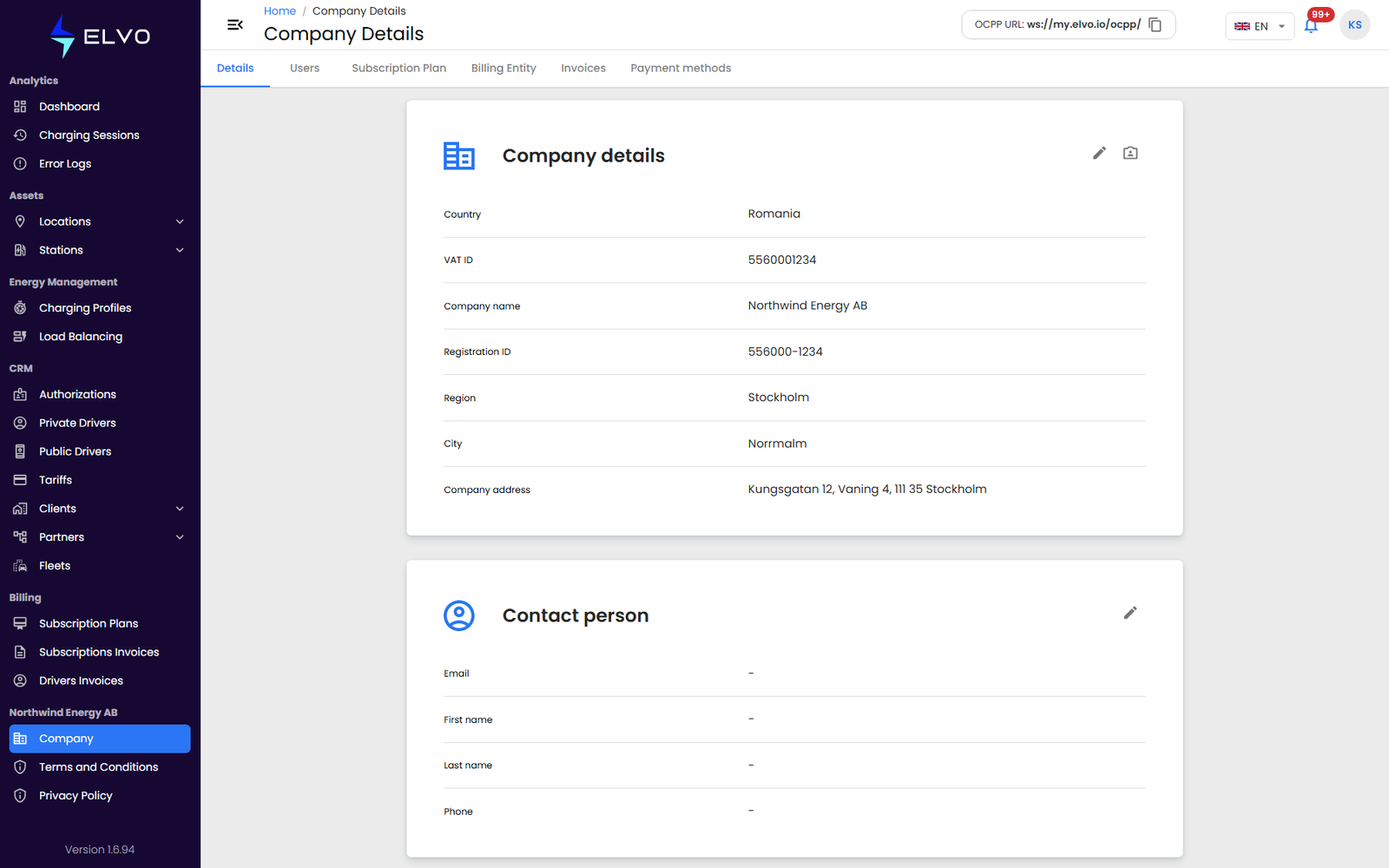
Viewing and editing company details
The Company area has six tabs: Details, Users, Subscription Plan, Billing Entity, Invoices, and Payment methods.
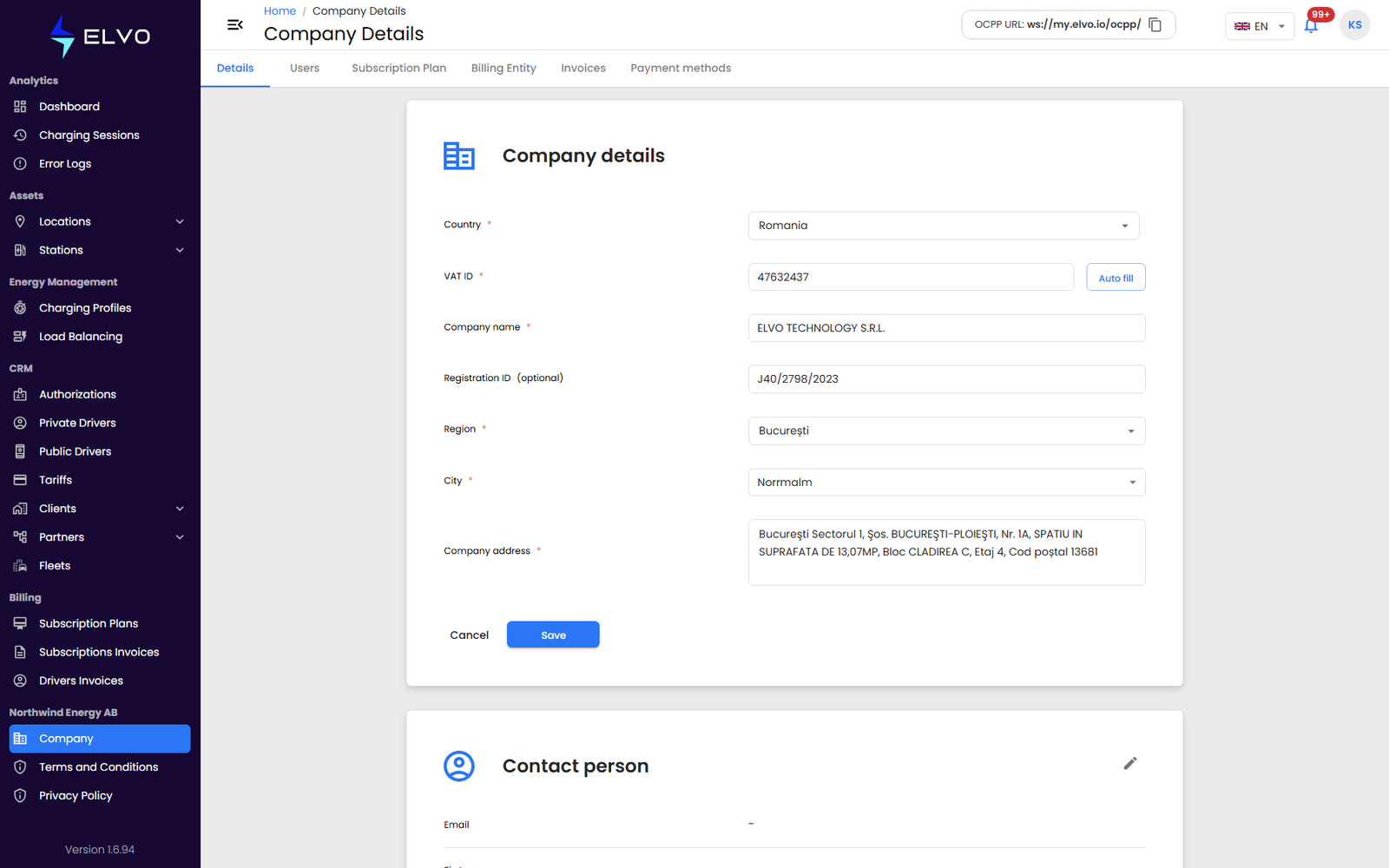
The Details tab shows two groups, read-only by default: Company details (Country, VAT ID, Company name, Registration ID, Region, City, Company address) and Contact person (Email, First name, Last name, Phone) — each group has its own edit (pencil) button, and the company logo has an Upload profile picture control.
- Click the group’s edit (pencil) button to make its fields editable.
- Update any of the fields.
- Click Save.
The form returns to read-only once the save succeeds.
Accounts with the superauditor role can view company details but not edit them (see section 17.2 for the role hierarchy).