What a tariff is
A tariff (also called a pricing profile) defines what a driver pays to charge: an energy price, optional parking and idle fees, a fixed transaction fee, and an optional price cap.
The Tariffs list
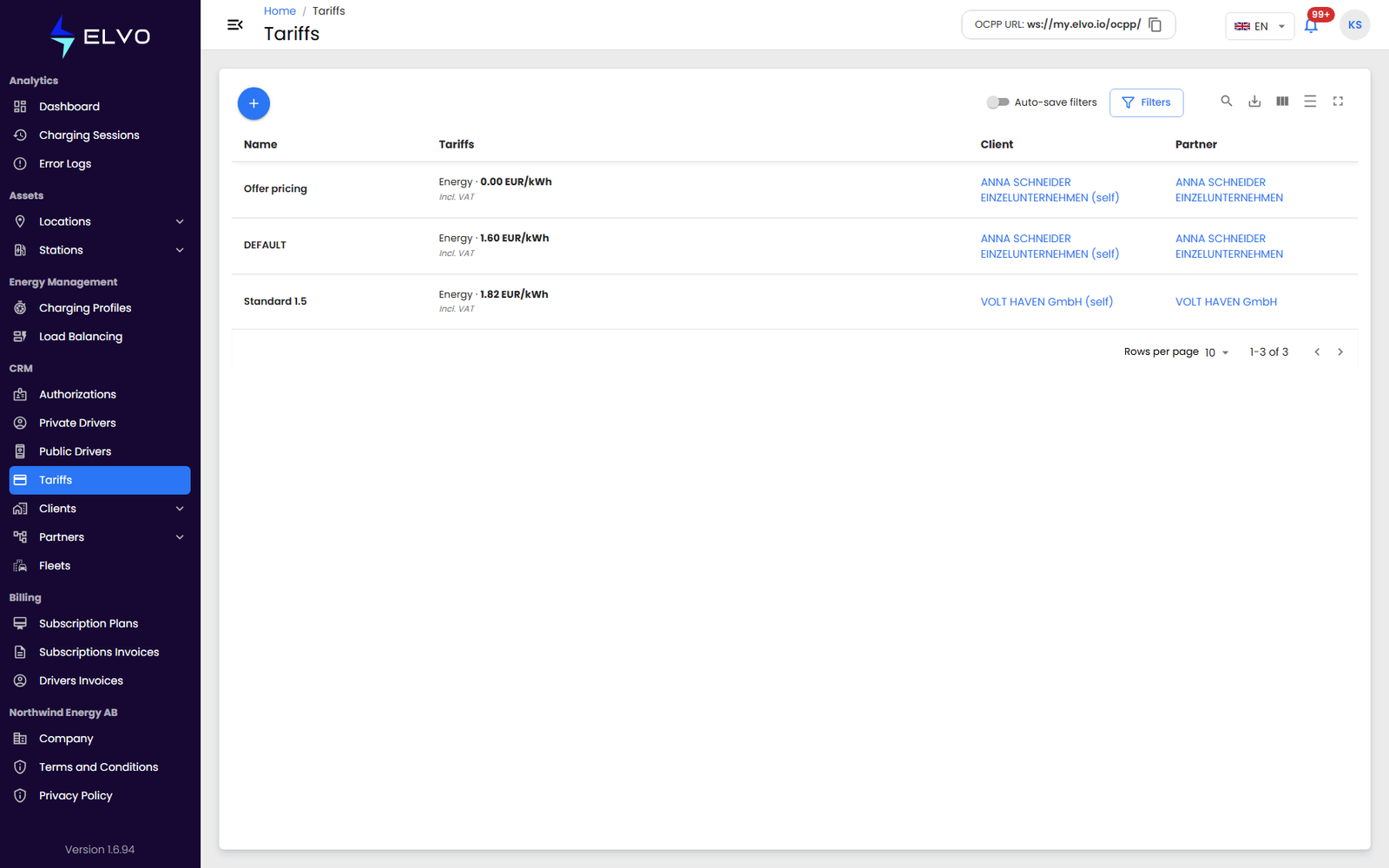
In the sidebar, open CRM and select Tariffs to see every pricing profile for your tier. Use the + button to create a new one.
Creating a tariff
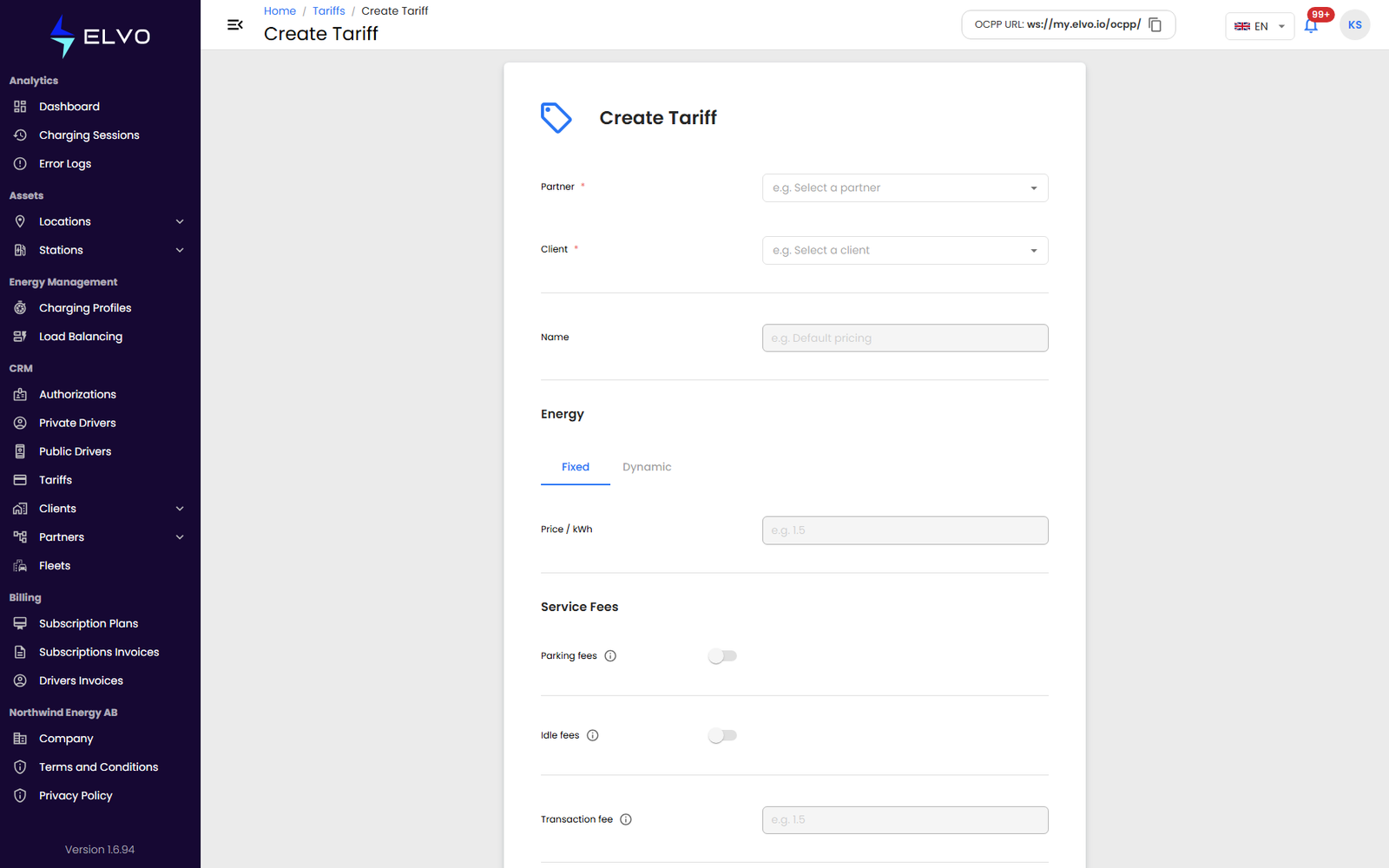
- Select the Partner and Client the tariff applies to, and enter a Name to identify it (for example, “Default pricing”).
- In Energy, choose Fixed to apply one Price / kWh at all times, or Dynamic to vary the price on a schedule. Prices are treated as VAT-inclusive.
- In Service Fees, optionally enable Parking fees and Idle fees (charged once the vehicle has finished charging but stays connected), and set a fixed Transaction fee.
- In Payment & Limits, set the Preauthorization amount and optionally cap the total with a Maximum session price.
- Click Create.
The platform blocks the submission if any price is negative, if a time value is invalid, or if the name duplicates another tariff for the same client.
Editing and deleting a tariff
Open a tariff from the list to edit any of its fields and save your changes.
To delete a tariff, use the delete action on the Tariffs list and confirm in the dialog.
Assigning a tariff to a station
Creating a tariff does not apply it anywhere by itself. You assign a tariff to a station’s connectors from that station’s Pricing tab, where each connector type can use a different tariff (see section 5.4).