Reaching Locations
In the sidebar, open Assets, then Locations, and select Overview. The same Locations menu also gives you the Map view, an interactive alternative to the list (see section 7.4).
What a location is
A location is the physical site where one or more charging stations are installed — an address and a set of coordinates that groups those stations together. Locations sit directly above stations in the platform’s hierarchy: every station belongs to exactly one location, and a single location can hold multiple stations.
The locations list
Overview opens on a table listing every location visible at your tier, one row per location. Use the table’s built-in search, column sorting, and filters to narrow a long list, or export it to Excel.
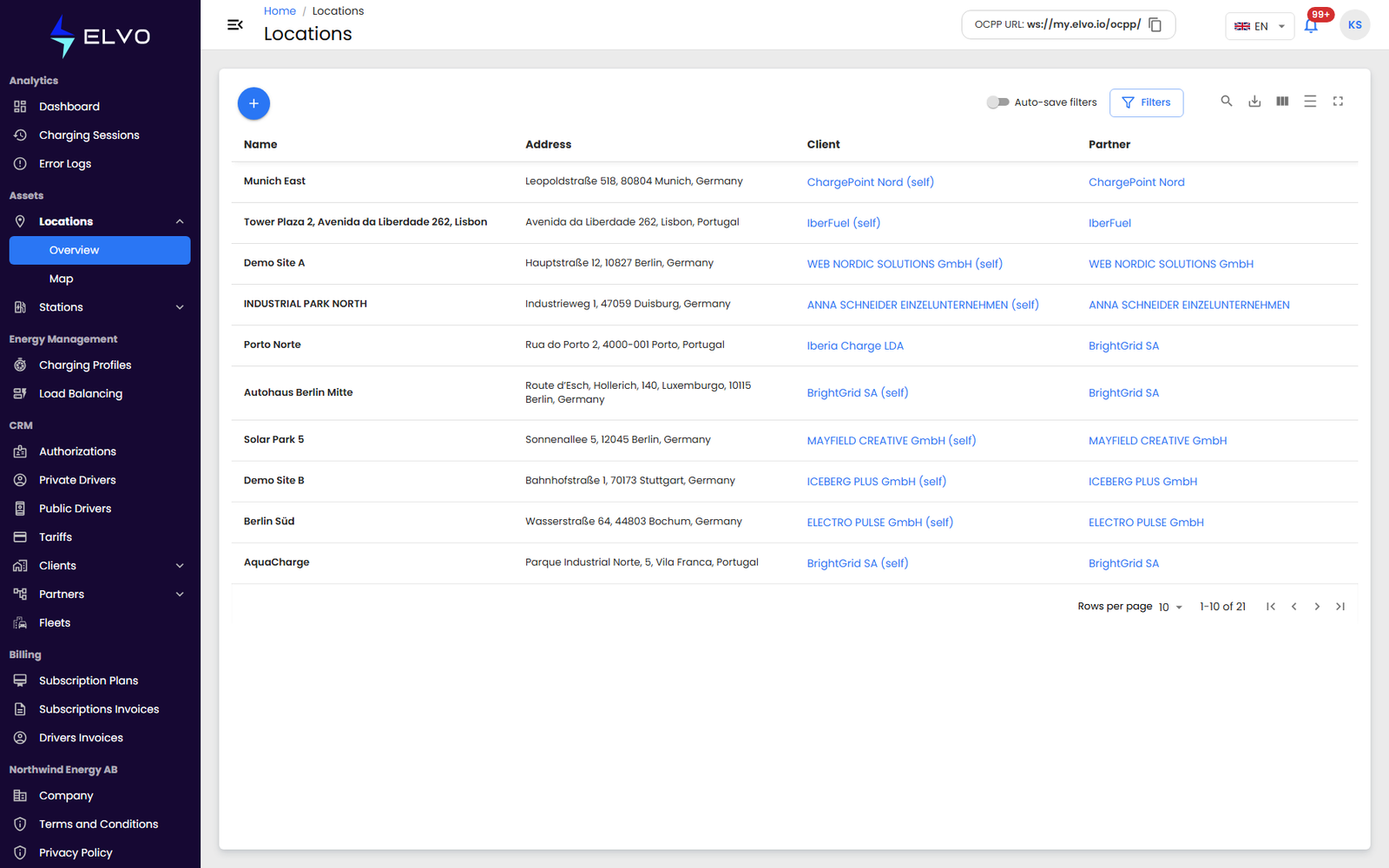
Open a location to reach its details — its own information plus the stations, charging sessions, and error logs tied to it (see section 7.3). To add a new location, see section 7.2.