What a private driver is
A private driver is an EV driver who belongs to one of your clients and charges using an RFID card or the mobile app, with access limited to that client’s own stations by default.
The Drivers list
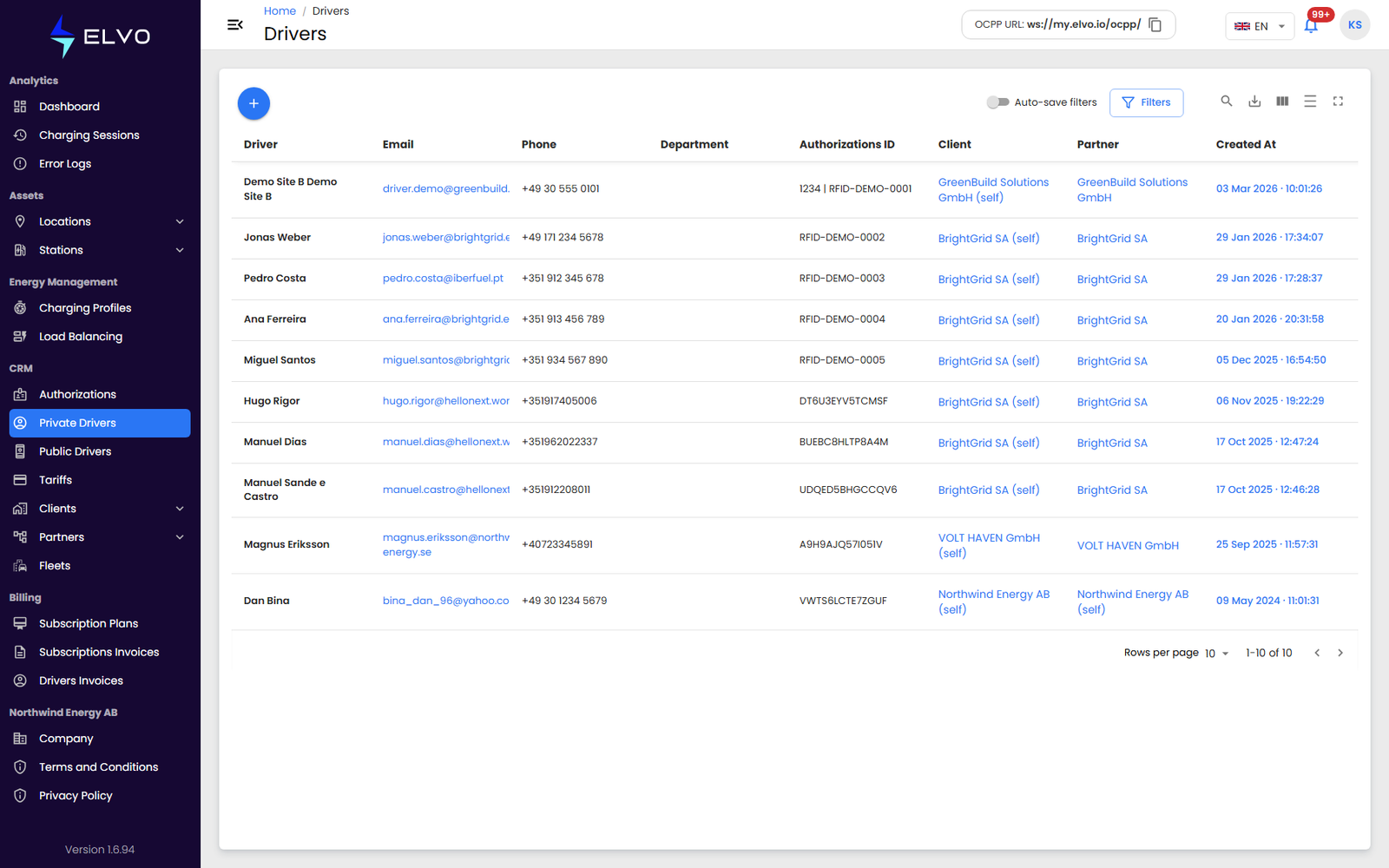
In the sidebar, open CRM and select Drivers to see the private driver list for your tier. Use the + button to register a new driver.
Registering a driver
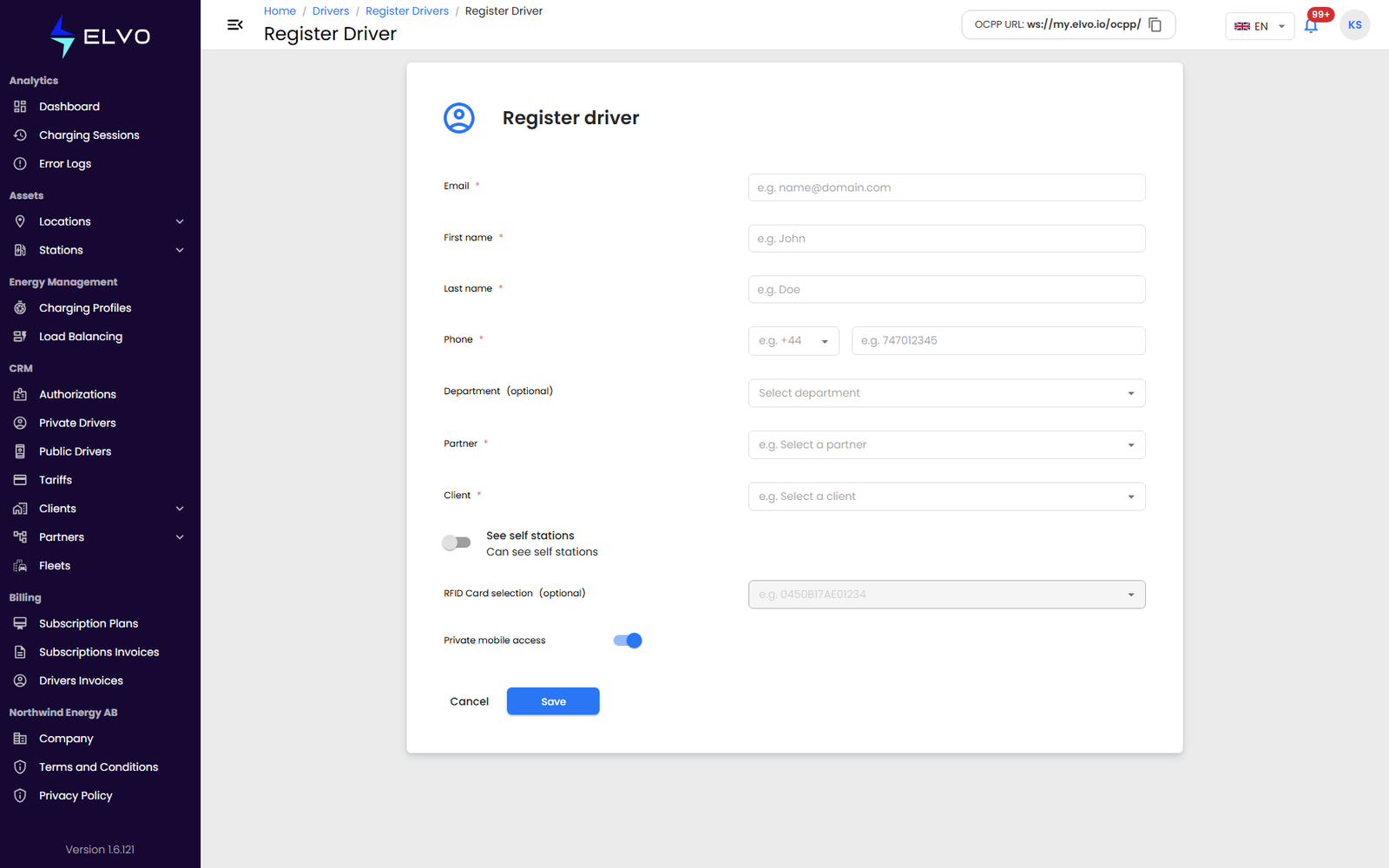
Clicking + opens the manual registration form directly. The platform also supports registration by email invitation, but on the current version there is no button for it — see “Inviting a driver” below for how to reach it.
Manual registration
- Enter the driver’s Email. This must match the email the driver uses (or will use) to create their account in the mobile app.
- Fill in the driver’s First name, Last name, and Phone, and optionally a Department.
- Select the Partner and Client the driver belongs to.
- Choose the driver’s station access: leave See self stations on so the driver sees only the client’s own stations, or widen access to every station across the partner’s clients.
- Click Save.
Inviting a driver
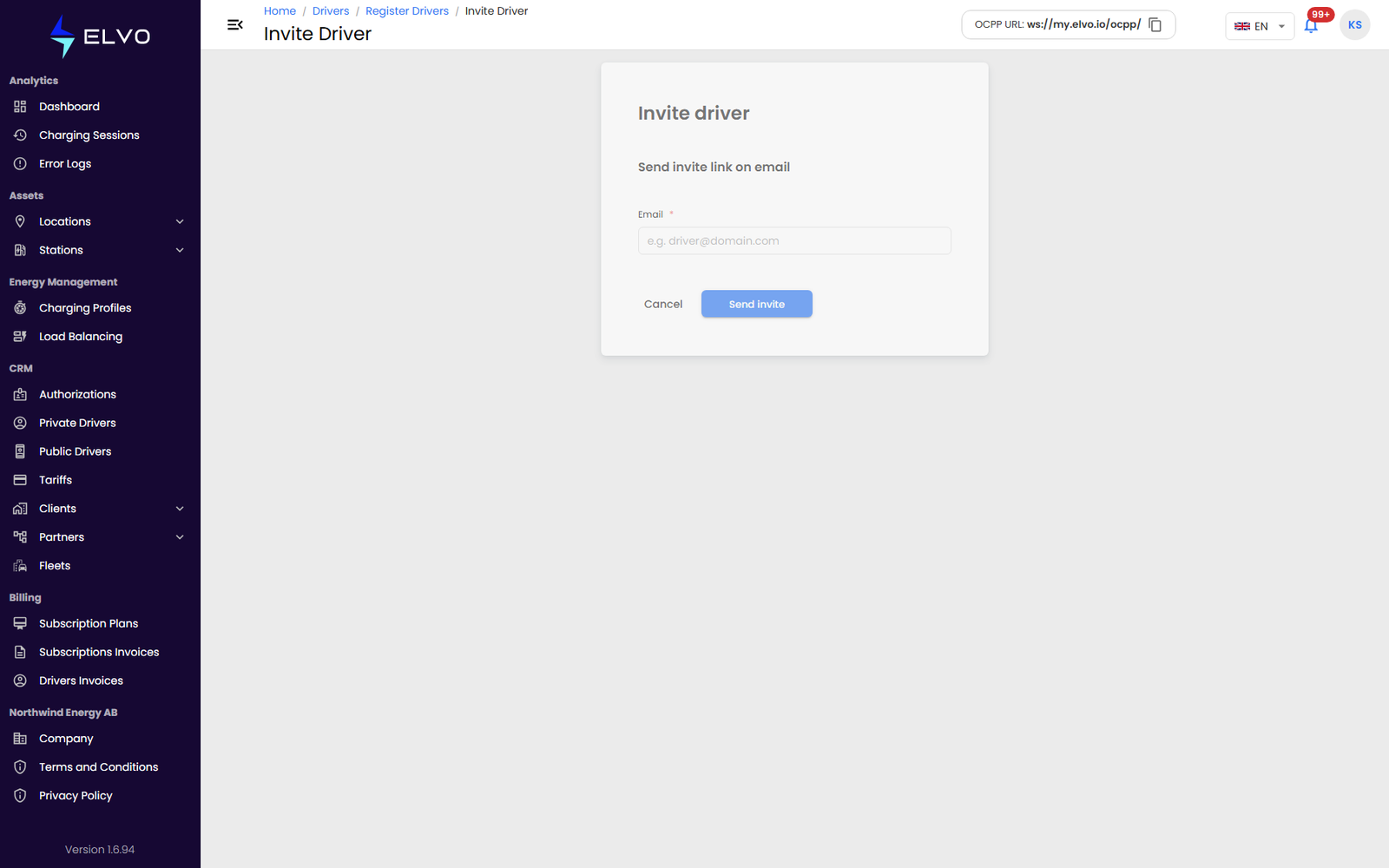
Instead of entering the details yourself, you can send the driver an email
invitation to complete their own registration. The invitation form has no
button in the Drivers list on the current version: open it by typing the
address /drivers/register/invite after your platform’s host name, enter
the driver’s Email, and click Send invite.
Managing driver details
A driver’s profile has three tabs: Details, Charging sessions, and Authorizations (the RFID cards linked to the driver).
To edit a driver, open their profile and click the edit button in the top-right. To delete a driver, click the delete icon in the same area and confirm the deletion.