Viewing station details
The Details tab shows the station’s metadata. In view mode, the station’s Name and its read-only OCPI ID appear inline on the same row; if the station has no OCPI ID, the field shows an em dash (—).
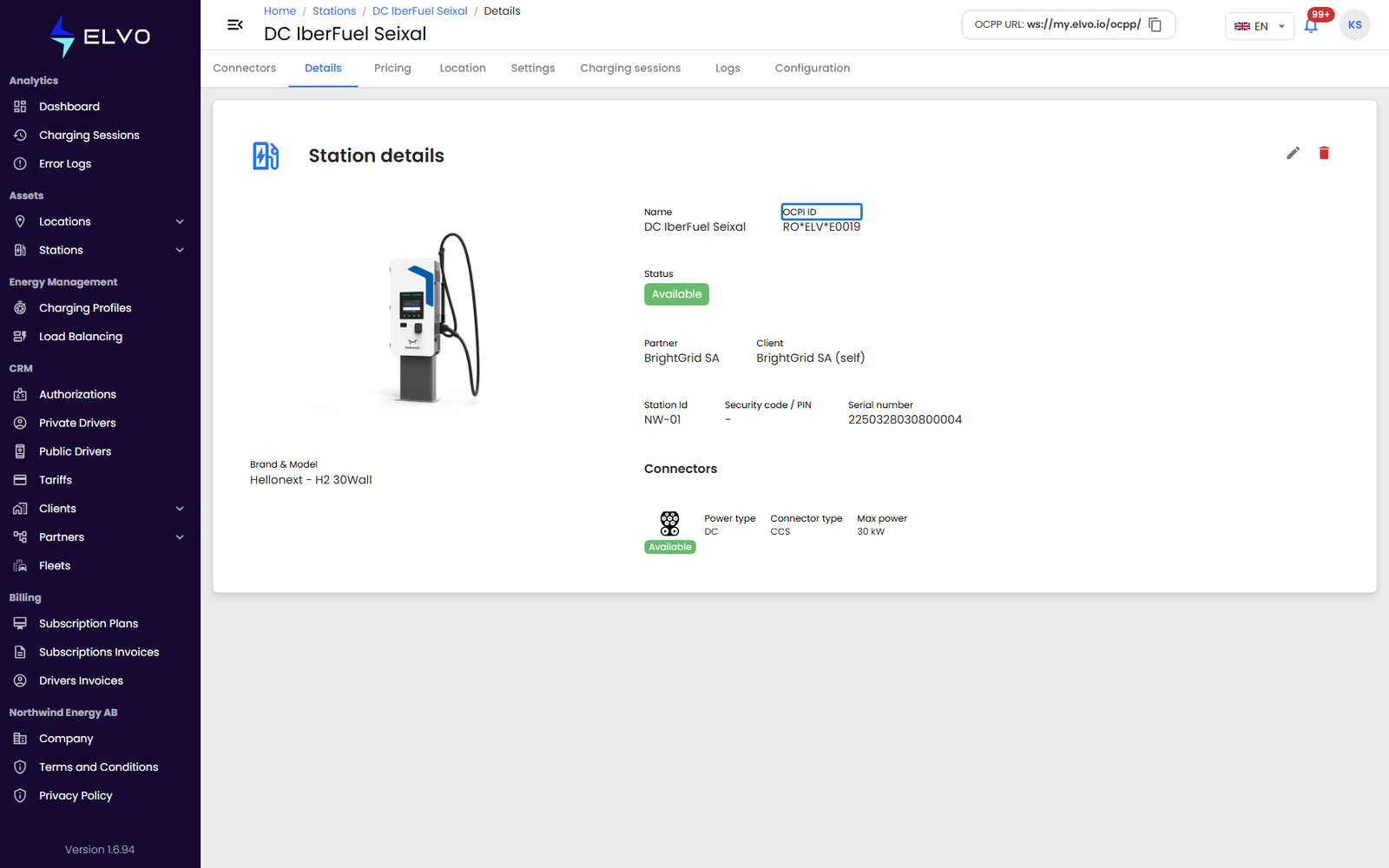
The rest of the card lists the station’s Status, its Partner and Client, the Station Id, Security code / PIN, and Serial number, the Brand & Model (with a product image), and a summary of the station’s connectors. While you are not editing, this data refreshes automatically every 5 seconds.
Editing
Click the edit icon in the top-right corner of the Details card to switch it to edit mode; the icon disappears while you edit and Cancel / Save appear under the fields. Change the Name to rename the station. The Client assigned to the station can also be changed from this tab, which reassigns the station to that client. The Partner shown is read-only — it follows from the assigned Client and cannot be edited directly. Confirm with Save.
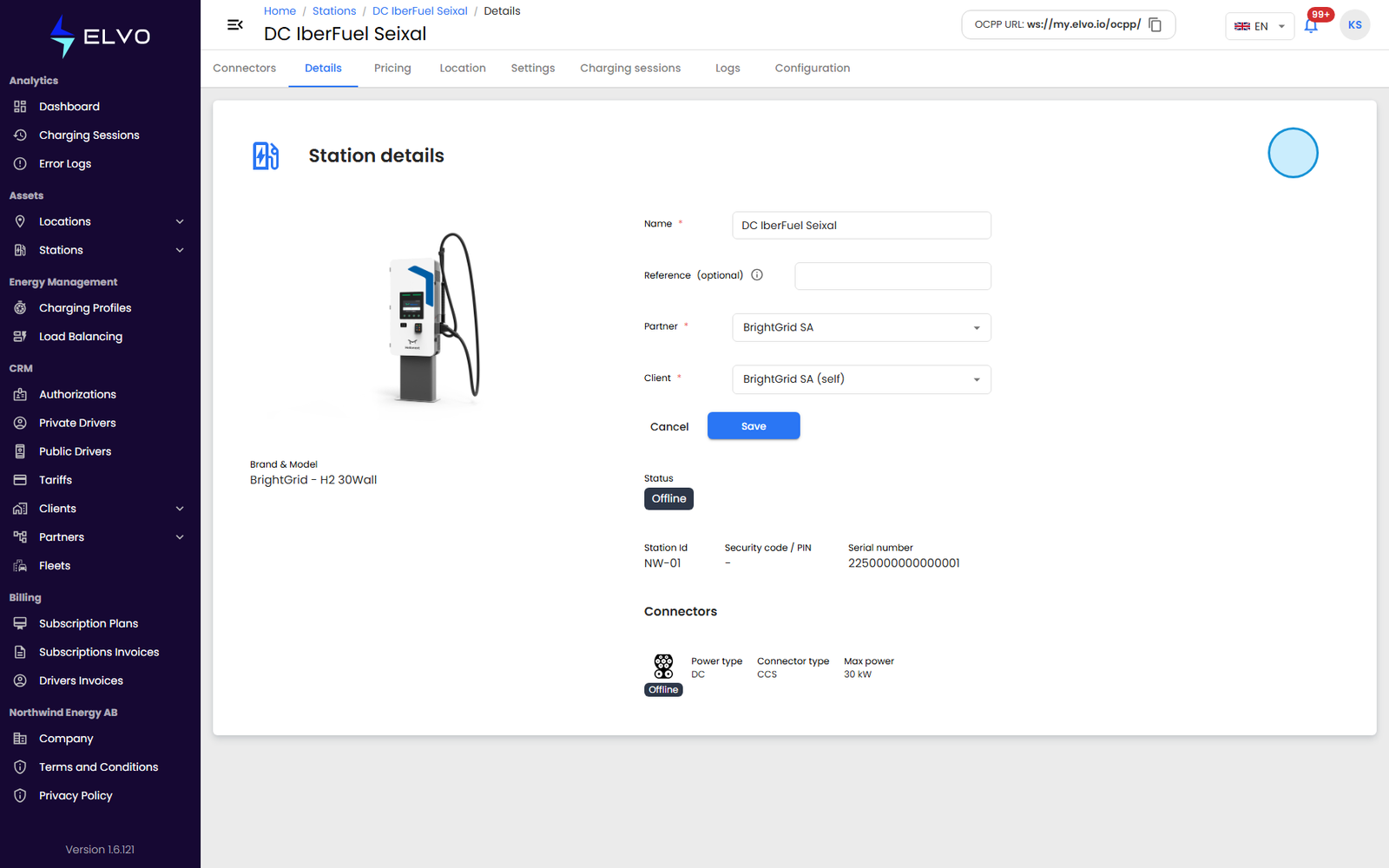
Auto-refresh pauses while you are editing, so your in-progress changes are not overwritten.