What a charging profile is
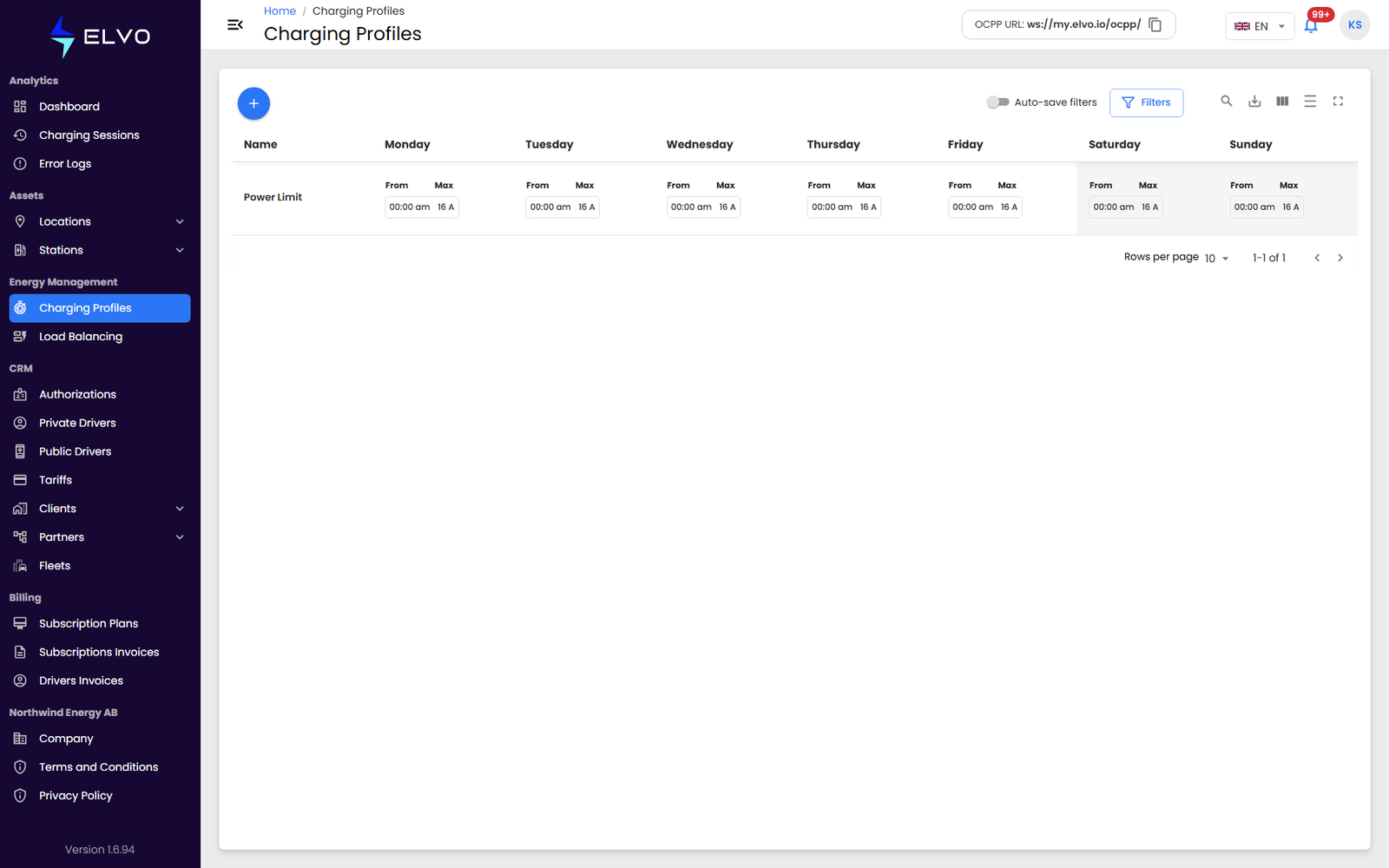
A charging profile is a weekly schedule that limits the charging current available at a station during specific time periods. Profiles are configured independently of any station and are then assigned to stations, where the platform applies the schedule automatically while a charging session is running.
Viewing existing profiles
In the sidebar, open Energy Management and select Charging
Profiles to reach /charging-profiles. The list shows every profile
configured for your tenant, along with the day-by-day schedule each one
defines.
Creating a profile
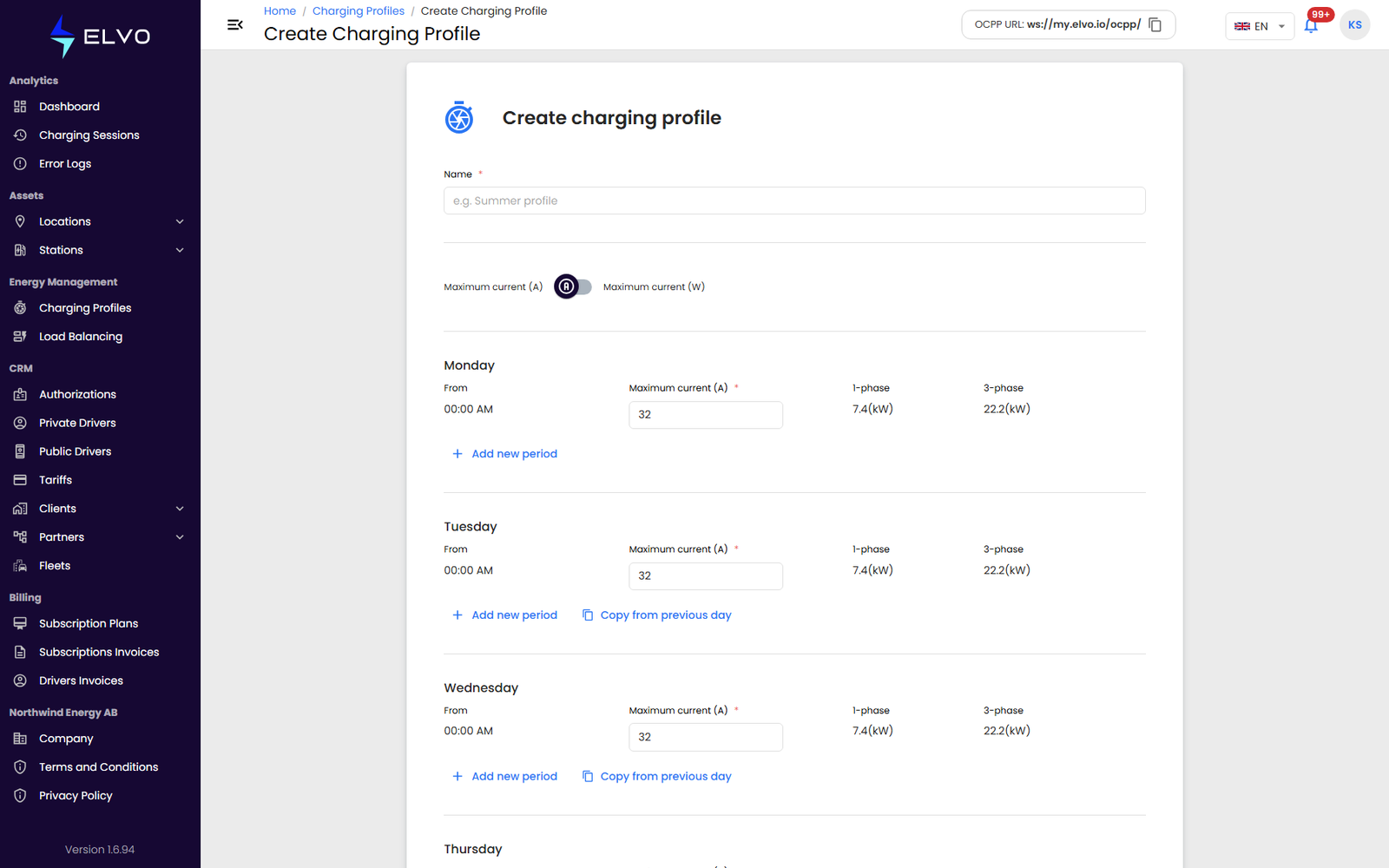
Click + above the list to open the day-by-day editor.
- Enter a Name for the profile.
- Configure each day of the week (Monday through Sunday) separately. A day can have one or more time periods, each with a start time and a Maximum current (A) — the equivalent Maximum current (W) is set alongside it.
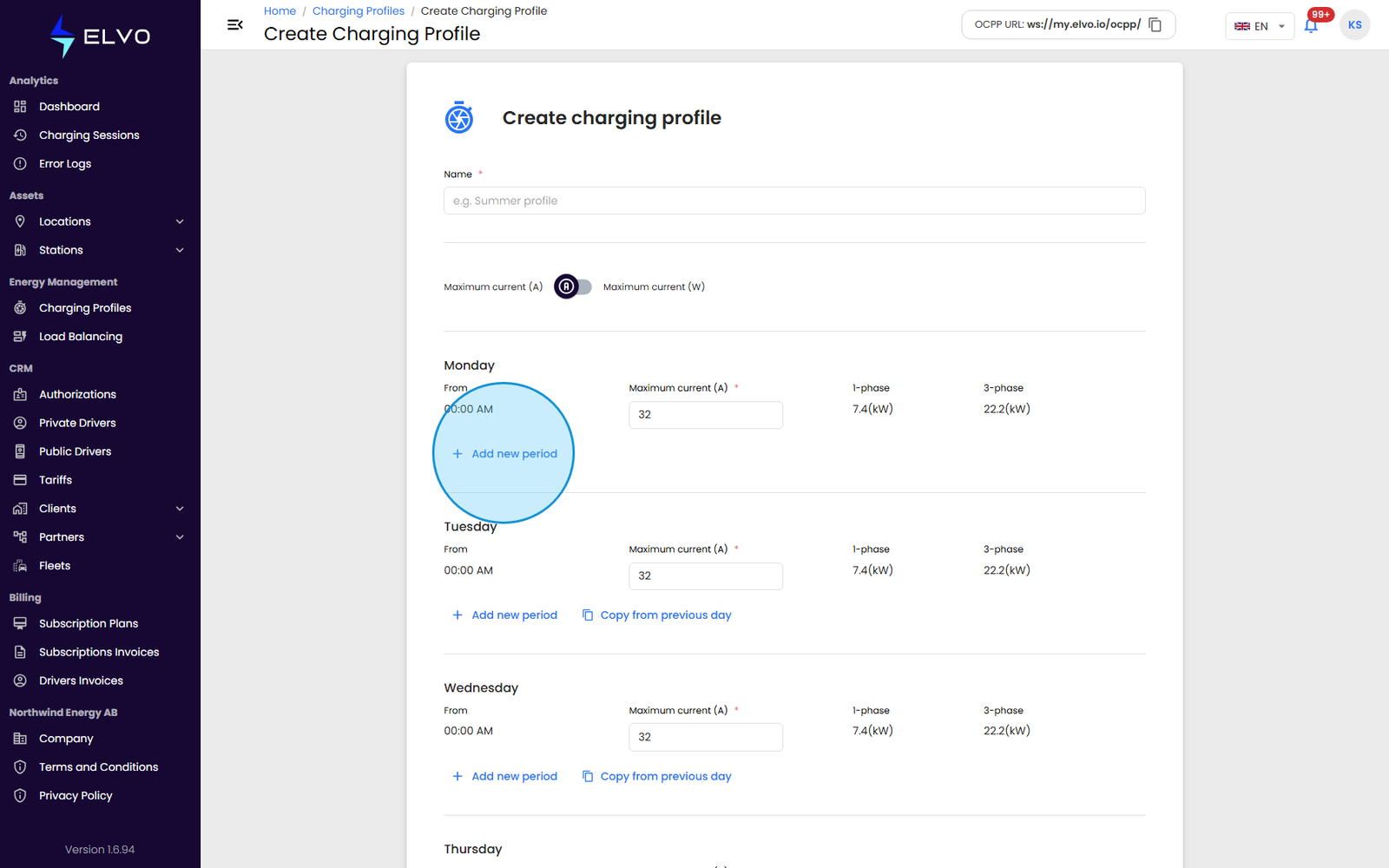
- Use + Add new period to add further periods within a day, and repeat for every day that needs a schedule.
Click Create to save the profile. If the platform rejects the submission — for example because of a server-side validation error — an error message appears and the profile is not saved; correct the issue and try again.
Editing a profile
Click a profile in the list to open the same day-by-day editor, pre-filled with its current schedule — creating and editing share the same form. Update the name, days, or periods as needed, then save your changes.
Applying profiles to stations
Creating or editing a profile here does not, by itself, apply it to a station. A profile is assigned to a station from the station’s own connector actions (see section 5.2); once assigned, the platform applies the profile’s schedule automatically to that station’s charging sessions.