Reset types
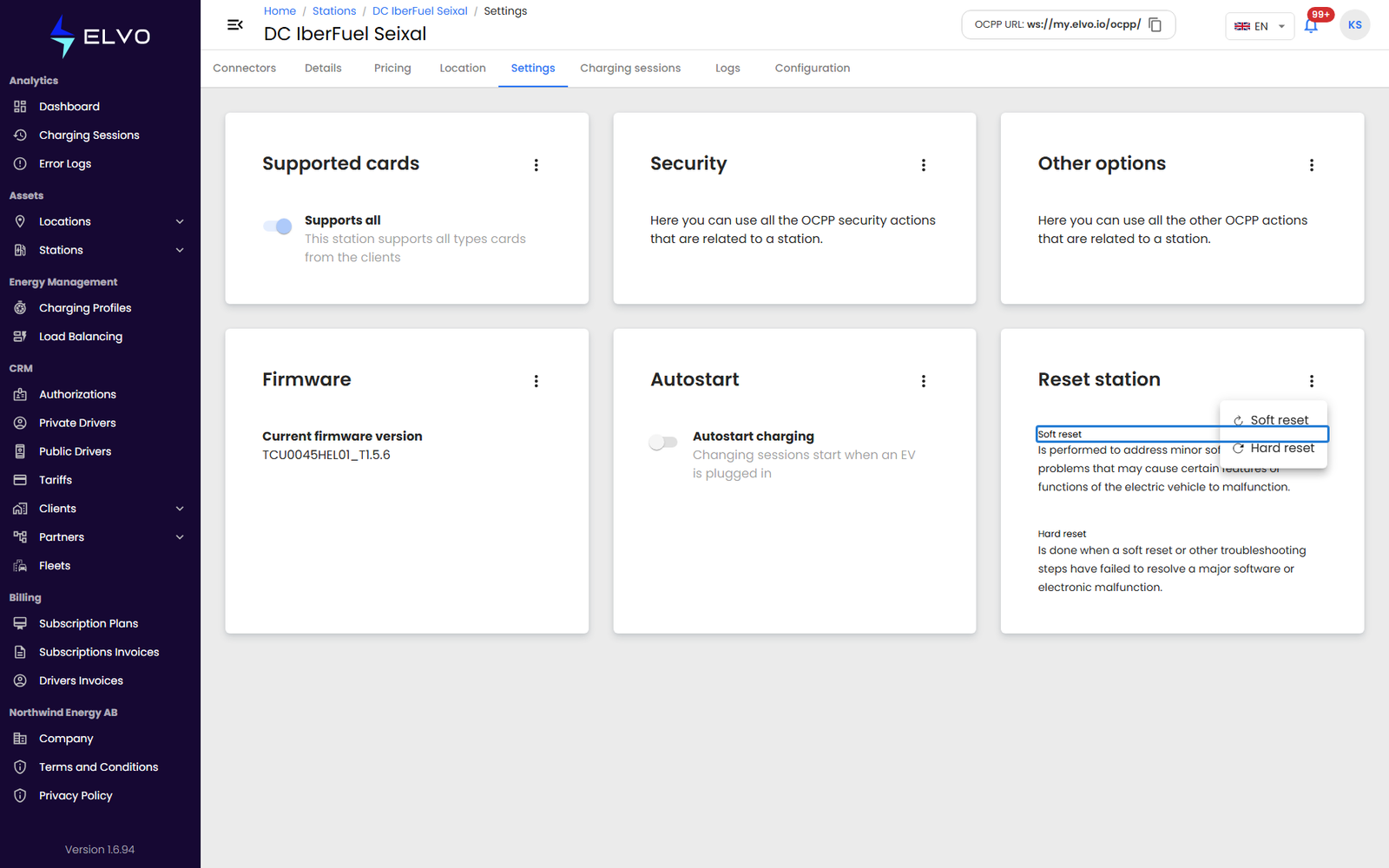
In the station’s Settings tab, the Reset station section offers two reset types:
- Soft reset — restarts the station’s software without cutting power; an active charging session may continue. Try this first for minor issues.
- Hard reset — fully power-cycles the station’s main controller and stops any active charging session. Use it only after a soft reset has failed to resolve the problem.
Triggering a reset
Open the actions menu in the top right of the Reset station section and choose Soft reset or Hard reset — the command is sent to the station as soon as you pick an option, so choose carefully.
The command is sent to the station over OCPP, so the station must be online to receive it. If it is offline or does not respond in time, the action fails and an error message explains why.