Jumping to a station from a session row
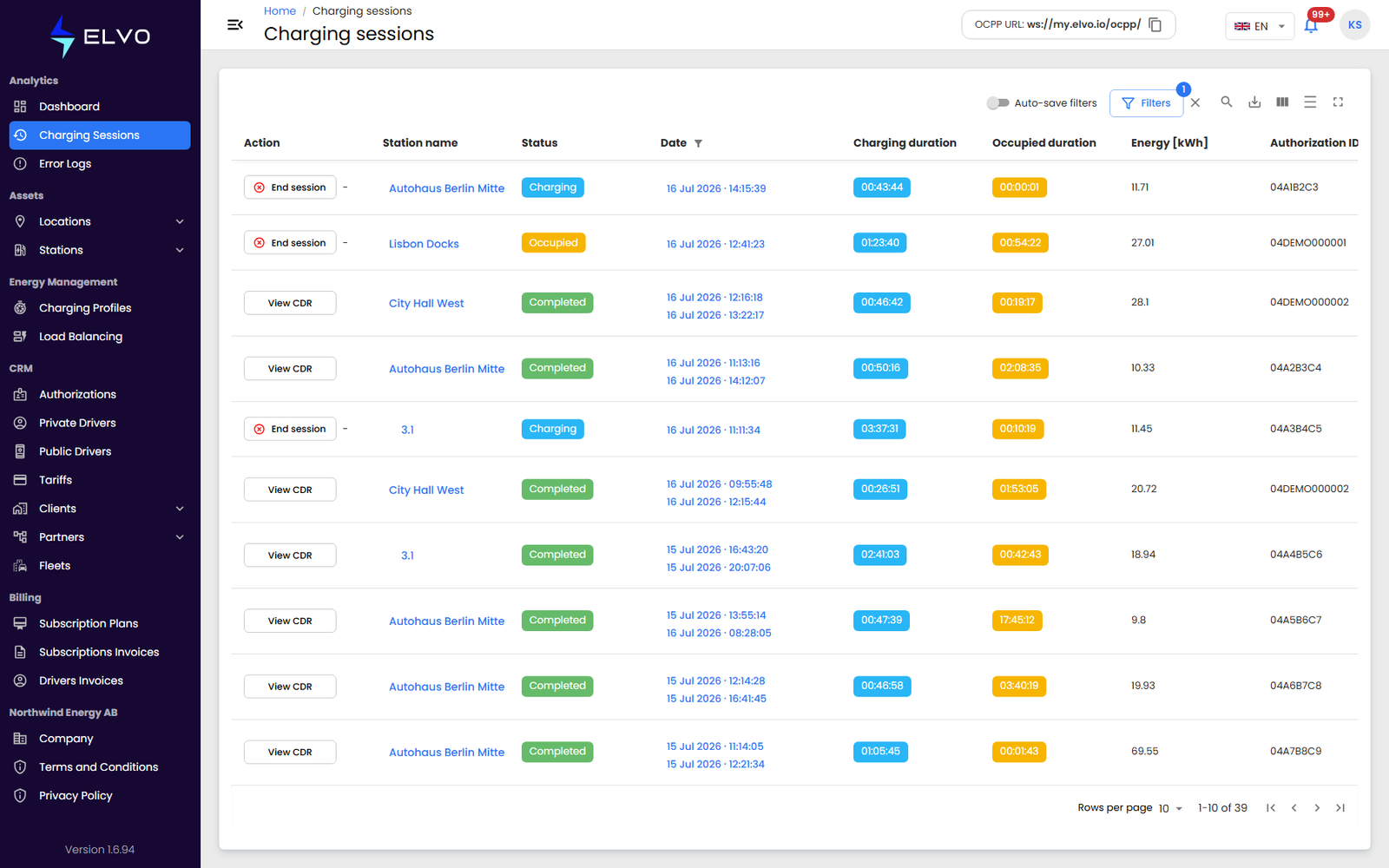
Click the station name in any session row to open that station’s detail page. This is the fastest way to move from a specific charging session to the station that hosted it — you do not need to leave the Charging Sessions table and search for the station separately in the Stations list.
Viewing a session’s CDR
Completed sessions offer a View CDR action in the Action column — the session’s charge detail record, with the full billing-relevant breakdown of that session. Sessions that are still running show End session in the same column instead, which stops the session remotely.
Continuing from the station
Once you are on the station’s detail page, use its own tabs to see more about that station (see Parts 4 and 5). The default Connectors tab shows the real-time status of that station’s connectors — useful if you want to check whether the connector involved in the session is currently available, charging, or faulted. The Charging sessions tab shows the session history for that station alone, a narrower view than the global list described in section 2.1.
This two-step path — session row to station, station to a specific tab — is the documented way to get from a single charging session to the wider context around it. The manual does not describe any other cell in the session row as a separate link.