Opening a client from the Clients list (section 13.1) shows its detail view, landing on the Details tab by default. Seven tabs are available in total: Details, Stations, Authorizations, Drivers, Charging sessions, Subscription Plan, and Billing Entity.
A client’s platform users are not a tab here — they are managed on the dedicated CRM → Clients → Users page (see section 13.4).
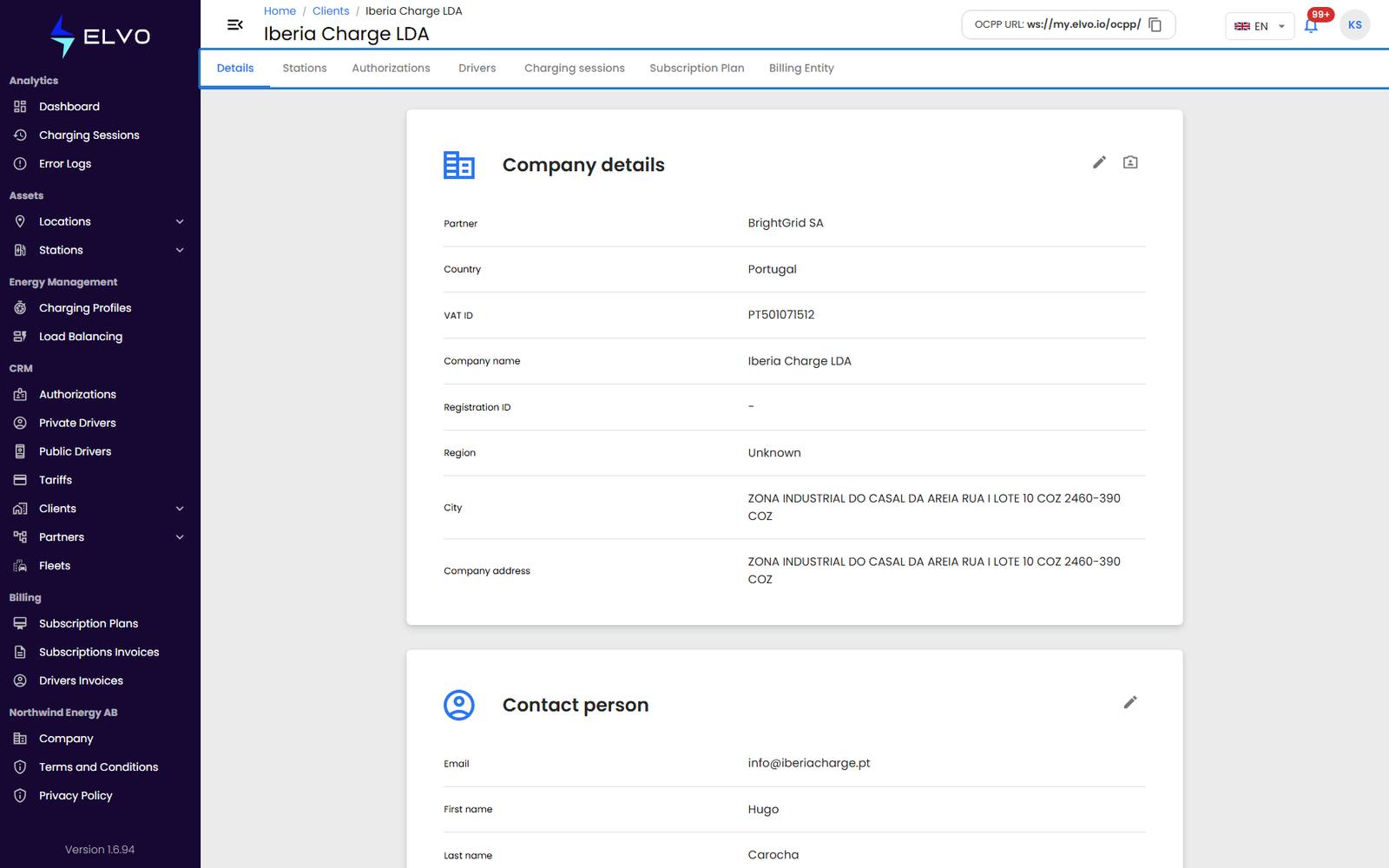
Details
The tab you land on when you open a client: its registered information (name or company details, and address). Click the edit button to make the fields editable, then Save your changes.
Stations
Lists the stations assigned to this client. Open a station from here to reach its own detail view (see Part 4 and Part 5).
Authorizations
Lists the RFID cards linked to this client. See section 10.1 for RFID card management in general.
Drivers
Lists the private drivers who belong to this client. See section 12.1 for how drivers are registered and managed.
Charging sessions
Shows this client’s charging session history. See Part 2 for how the session list’s columns, filters, and navigation work — they behave the same here.
Subscription Plan
Shows the client’s current subscription plan.
Billing Entity
The client’s billing entity: IBAN, VAT number, and invoice series. Click the edit button to update these fields, then Save.